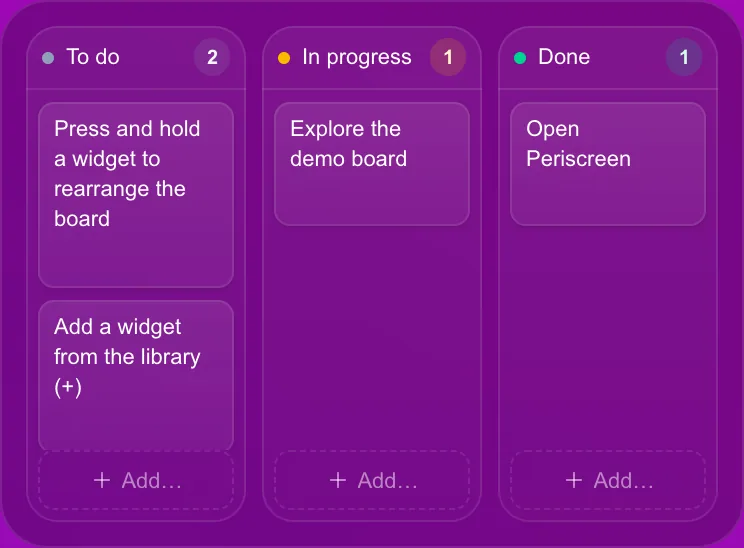
Drag the ticket
Slide a card to Done right on your cockpit. Connected widgets write back too — complete an Asana task or approve a pull request without opening a tab.
Second-monitor dashboard · beta program open
Periscreen turns a spare monitor into an interactive dashboard: 37 widgets you act on — move a ticket, re-run a CI job, tick off a habit — without ever switching windows. Local-first, with AI that runs on your machine.

Most second monitors end up showing a chat you have muted, a dashboard nobody touches, or a screensaver.
01Write access
Most dashboards are read-only glass. This one has handles. Every widget accepts input, so the glance and the action happen in the same place — on the screen you were already looking at.
Slide a card to Done right on your cockpit. Connected widgets write back too — complete an Asana task or approve a pull request without opening a tab.
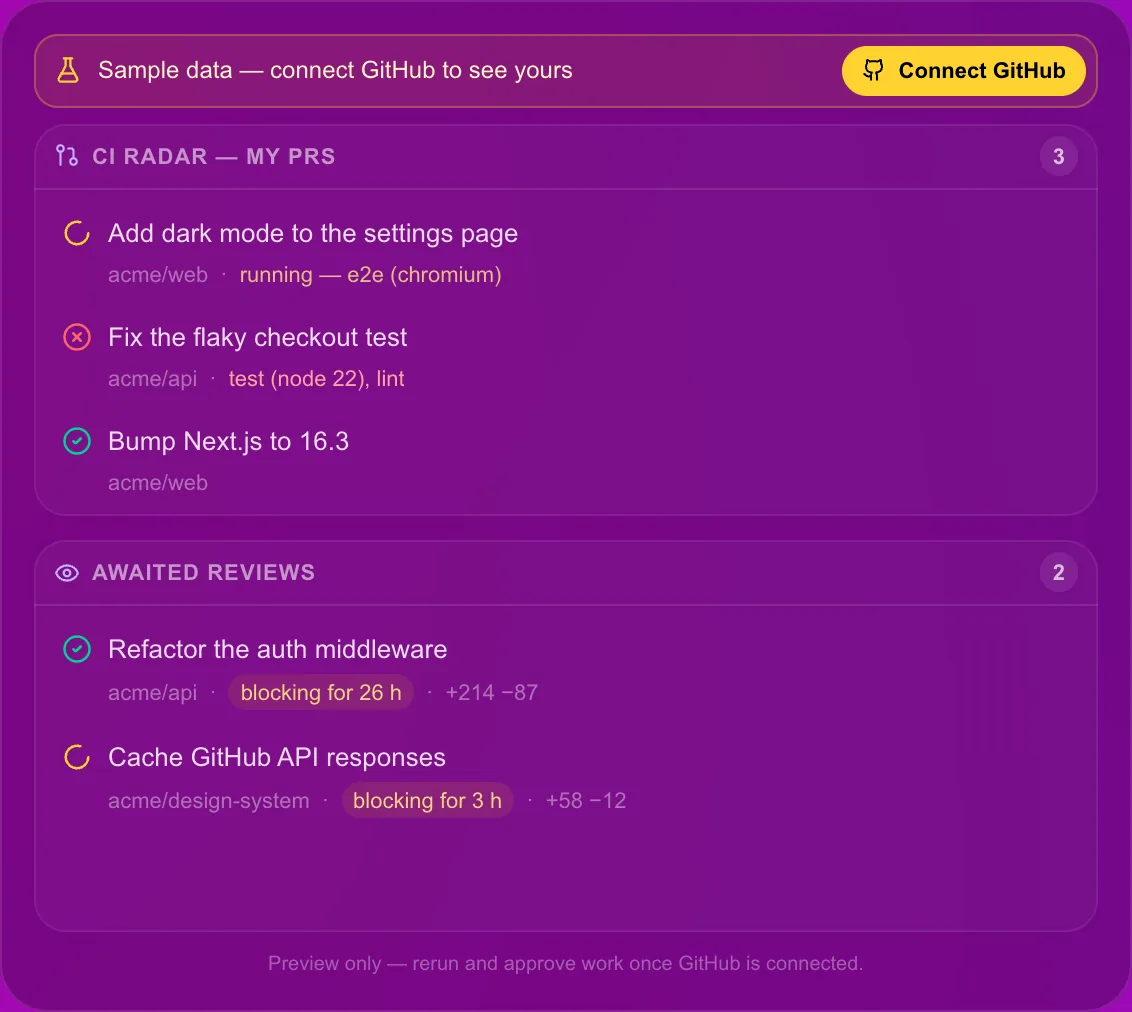
A red pipeline is one click from a fresh attempt. The CI radar isn’t a chart of your pain — it’s a button on top of it. Shown with its sample data: yours once GitHub is connected.
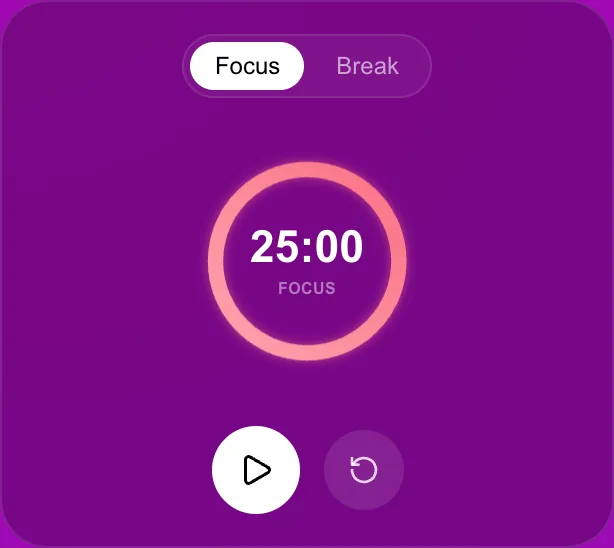
Focus or Break, one press on the screen beside you — and the ring counts down in the corner of your eye, not in a tab you closed.
How it works
The desktop app opens full screen on your second monitor and remembers the screen you pick. Plug in a projector and it stays where it is.
Pick widgets from the library, snap them to a 24-column grid, size them how you like. Keep several boards and flip between them.
Move the card, re-run the job, start the timer. Your main screen keeps the work; the second one keeps everything around it.
02Local-first
No account to create, no telemetry to opt out of, no servers of ours. Widgets talk directly to the services you connect — the weather API, your feeds, GitHub, Asana — and your boards are files on your disk, not rows in someone else’s database.
The app talks to third parties only for the widgets and features you use: the news ticker, on by default, fetches its feeds from the publishers (and their images from their hosts), and a published desktop release checks our download server for updates — you can turn that off. The web preview relays feeds, calendars and KPI endpoints through the app’s own server, which keeps a short in-memory cache and writes nothing to disk. Every host, and when it is contacted, is in the privacy policy.
Chat with a local model — inference runs on your hardware (Ollama, or WebGPU right in the browser) — and let a small on-device model color your headlines by tone. Unlimited AI, zero usage fees, because it runs on your machine.
03The library
Snap them to a 24-column grid, size them how you like, run several boards and flip between them. A taste of the shelf:
Connects to GitHub · Asana · ICS calendars · RSS & Atom feeds · status pages · webhooks · Ollama
Ideas for your board
Five boards to build in five minutes, each a handful of widgets from the library — then bend it to your taste.
01 · Developer
Your PRs, your pipelines and your sprint on one glass — with the re-run button where it belongs.
02 · Data
Long jobs, refresh windows and the metrics that matter, in the corner of your eye while you query.
03 · Founder
What today costs, what the world says, what ships next — before your first coffee refill.
04 · Freelancer
One board per client, a timer that keeps you honest, and the invoice deadline in plain sight.
05 · Ops
Status pages and pipelines across every region, with on-call rituals you can actually tick off.
04Pricing · when sales open
Every local widget is free, forever. One honest payment, once sales open, if you want the connectors and the local AI. Nothing is on sale during the beta.
Early access: every Pro widget is free during the beta. Founder licenses will unlock them for good when sales open — and anything you have already placed on a board stays usable.
€0forever
FOUNDERS LICENSE · 200 SEATS
€49one-time · lifetime license
The license covers the app itself. A future hosted service (such as sync) would be a separate, optional subscription.
Not on sale yet — beta testers get first pick of the 200 seats.
Desktop builds are not code-signed or notarized yet, so the OS warns you the first time you open them. This is expected for the beta; it only has to be done once per install.
macOS 15 Sequoia and later — the old right-click → Open trick no longer works:
The Open Anyway button only appears for about an hour after the blocked attempt — if you don't see it, open the app again and go straight back to Privacy & Security.
macOS 14 Sonoma and earlier: Control-click (or right-click) the app → Open → Open.
If macOS instead says the app “is damaged and can't be opened”, the download kept its quarantine flag in a way Gatekeeper won't override from the UI. Only for a build you downloaded from the official release page, run xattr -dr com.apple.quarantine "/Applications/Periscreen.app" in Terminal, then open it normally.
Windows and Linux: coming with their builds, once they are tested.
Windows: SmartScreen shows Windows protected your PC → More info → Run anyway.
Linux (AppImage): chmod +x Periscreen-*.AppImage, then run it.
Questions
A desktop app that turns a second monitor into a dashboard of widgets you can act on: move a ticket, re-run a CI job, tick off a habit, without switching windows. It runs full screen on the screen you choose, stores your boards on your machine and needs no account.
Any mix of 37 widgets: clocks and time zones, weather, your calendars (ICS links), kanban, todo and notes, GitHub pull requests and CI, Asana tasks, pomodoro, habits, countdowns, news feeds and a news ticker, service status, KPI tiles, meeting cost, a local AI chat and more. Snap them to a 24-column grid and keep several boards.
macOS today. Windows and Linux are coming soon: their builds are offered once they are tested. You can already pick your platform when you join the beta program.
No account and no telemetry. Your boards are stored on your machine, and widgets talk directly to the services you connect. Every host the app can contact, and when, is listed in the privacy policy.
No usage fees: the AI chat runs on your own hardware, with Ollama or with WebGPU in the browser, and the news ticker colors headlines by tone with a small model that also runs on your machine.
Nothing during the beta, Pro widgets included. When sales open, every local widget stays free forever, and a one-time €49 founder license (200 numbered seats) unlocks the connectors and the local AI. Nothing is on sale yet.
DAKboard and MagicMirror² are made for wall displays you look at; Rainmeter and Übersicht skin your desktop with widgets you write or configure. Periscreen is built for the spare monitor on your desk, with widgets that take input and write back to the tools you use, from a ready-made library.
Anything else? Join the beta and ask us, or read the privacy policy.
Beta program
We are opening Periscreen to a small group of beta testers, macOS first. Tell us what you want: news by email, a seat in the beta program, or both.